Review how Meta can change the format of your creative
This video examines the move from the flexible ad format toward flex media inside creative enhancements. Its practical message is to inspect how an uploaded asset can appear across placements instead of assuming the original file is exactly what every customer sees.
Understand the workflow being shown
The demonstration compares the earlier multi-asset flexible format with a single-image or video workflow that exposes format changes through enhancements. It explains why unexpected crops, repeated images, and rearranged formats can make creative review harder.
Inspect the enhancements panel
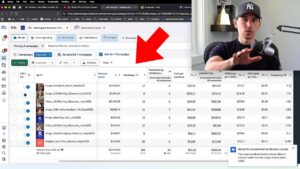
In the interface shown, flex media sits among the creative enhancement controls. Check the options available in your account and review their previews. The location and defaults shown in a historical walkthrough may differ as the interface develops.
Decide which transformations fit the asset
Some creative can adapt across formats without losing the message. Other assets depend on a precise crop, layout, or visual sequence. Decide which changes are acceptable for the specific creative and brand rather than treating every enhancement as automatically helpful.
Keep the production process adaptable
Build a workflow that lets you review single assets and their placement variations clearly. When a format changes, inspect the resulting customer experience before applying it more broadly. A useful account structure and a consistent creative review process help you handle these changes without restarting the entire strategy.