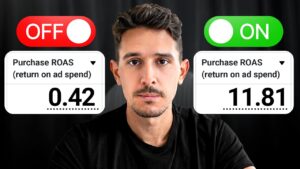
Keep useful control over Google Ads automation
This Google Ads walkthrough examines search terms, shopping-feed information, campaign roles, and reporting. The common thread is to understand what automation is doing before accepting the overall result at face value.
Inspect the search terms behind the average
A small number of branded searches can account for much of a campaign's reported revenue. Review their spend and return alongside non-branded activity. An attractive blended ROAS can conceal a very different acquisition result underneath it.
Make the shopping feed specific
Use clear product titles, descriptions, and imagery that explain what you sell. The examples show why details such as product type and color matter to contextual searches. Accurate product information is an input to the system, rather than a task to leave until after launch.
Separate campaign jobs and review breakdowns
Keep branded activity understandable alongside prospecting. Then examine meaningful differences in device and day-of-week performance. Use those findings to investigate budget decisions instead of assuming every part of a blended campaign deserves the same treatment.
Review assets and recommendations selectively
Check the completeness and quality of the ad assets used in the campaign. Consider the recommendations that fit the business, and dismiss those that do not. The video distinguishes this work from blindly trying to achieve a perfect account optimization score.
Video chapters
- 0:00 The Google Ads account framework
- 0:39 Automation and branded search terms
- 2:57 Shopping-feed information
- 3:55 Reading beyond blended results
- 4:43 Manual controls and performance breakdowns
- 6:24 Ad assets and recommendations