Use AI image editing to make useful creative variations
This walkthrough demonstrates product image variations in Gemini using Nano Banana. The goal is to shorten the production process while preserving the product details and the concept that made the original creative worth testing.
Choose the starting ad deliberately
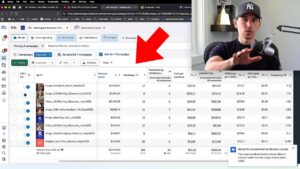
Start from a creative with evidence behind it. The video compares regular and incremental return measures to explain why the highest reported ROAS is not always the best seed. Decide what made the original effective before asking for many variations.
Provide a base and a product reference
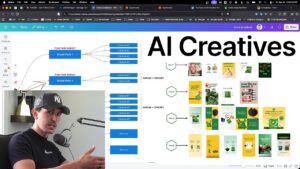
The examples use one image for the composition and another for the replacement product. Specify which element should change and which should remain. Product color or material can create a meaningful variation while keeping the overall layout recognizable.
Inspect details and framing
Compare the output with the real product photo, including patterns, logos, and small features. The demonstration needs additional prompts to correct framing and incomplete replacements. Generate enough surrounding space for the intended crop instead of assuming the first result is ready.
Extend the concept with controlled changes
The later examples change apparel and backgrounds. Keep the change clear, check the full image, and prepare variants for an actual test. Faster production is useful when it produces believable assets and learnings, rather than a large folder of unchecked images.