Use Claude and Facebook ads to build a creative workflow
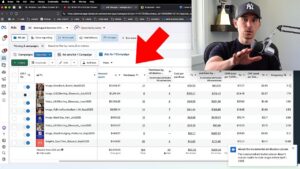
A dashboard is useful, but the larger opportunity is connecting account analysis to the next round of creative. This course starts with the integration and reporting, then builds toward winner detection, creative briefs, and production workflows.
1. Start with a reliable reporting foundation
Connect the ad account, ask for clearly defined metrics and date ranges, and check the result. Turn useful prompts into repeatable reports. Build anomaly alerts around a specific business question so a notification tells you something actionable rather than simply sending another table.
2. Give the analysis business context
Ad-platform data alone does not explain your economics or your customer. Add relevant business information, brand guidelines, and avatar research. These inputs help the system interpret targets and produce creative briefs that fit the product instead of generic recommendations.
3. Separate winners from potential winners
The course defines winners using both meaningful spend and performance above target. Potential ads meet one condition but need work on the other. Review several windows, including three, seven, and 14 days, and account for unusual promotions before treating a spike as a repeatable result.
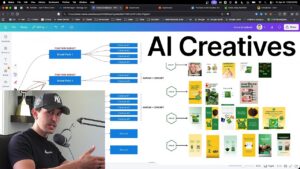
4. Feed the findings into creative production
Use persistent winners as inputs for new briefs and iterations. Explore more variety when an ad shows potential but has not proved both efficiency and spending capacity. Repeat the process after the next creative round has had enough time to gather useful data.
5. Keep production tools and human judgment in the loop
The demonstration uses Claude to organize the analysis and briefs, then connects production tools for the assets. Review the outputs before spending money behind them. Automating a workflow is valuable when it improves the decisions and creative, not simply when it produces more material.
Video chapters
- 0:00 Course overview and workflow foundations
- 4:14 Beginning the integration setup
- 24:10 Building winner-detection prompts
- 31:07 Adding brand guidelines and avatar context
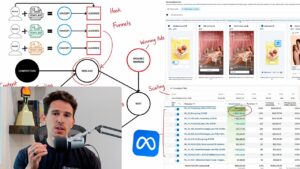
- 39:10 Creating the creative flywheel
- 40:30 Production tools and current limitations
- 46:10 Extending the workflow