Use an ads connector for clearer reporting and controlled changes
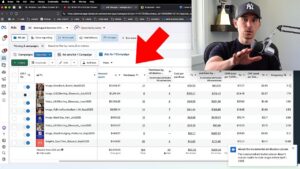
This demonstration connects Claude with a Facebook ads connector, then uses it for reporting, editing, and campaign preparation. The useful starting point is a precise question and a result you can check.
Start with read-only reporting
Ask for an account, a metric, a date range, and an output format. For example, a weekly spend table is easier to verify than a broad request to analyze everything. Once the numbers are right, charts and repeatable reports can make them easier to use.
Add the business context
The ad account alone does not explain inventory, margins, or the wider plan. Supply the information needed for the decision. Treat an unusual metric or suggested change as something to investigate rather than an instruction to follow automatically.
Review changes before they run
The video demonstrates controlled edits and campaign shells. Be specific about what should change and inspect the resulting settings in Ads Manager. Preparing a campaign is a separate step from deciding it is ready to spend money.
Know the limits of the demonstration
The integration shown has limitations around creative access and business understanding. Features and interfaces can change, so use the video for its workflow principles as well as its setup walkthrough. Accurate reporting, explicit instructions, and human review remain useful even as the tools develop.