Use budget scheduling to test a day-of-week spending plan
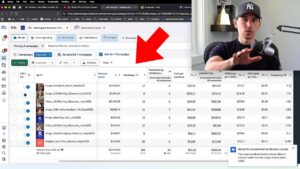
This tutorial demonstrates an earlier Facebook budget-scheduling workflow. It starts with performance by day, then shows how the available increase-only control was used to create a different allocation between stronger and weaker periods.
Build the comparison from the underlying data
Review spend, purchases, and revenue for each day of week over a useful period. Recalculate ROAS and acquisition cost from those totals. The example's best and worst days belong to that business and should not become a generic calendar for other stores.
Plan the whole week's budget
The demonstration lowers the baseline and schedules increases during stronger periods. Work out the expected weekly total before changing anything. A set of individually reasonable increases can still exceed the business's intended spend if the complete calendar is not modeled.
Check the dates and current controls
The recording shows creating multiple future periods in the interface available at the time. Confirm that the current campaign supports the intended schedule and that promotions or holidays do not make the historical pattern unsuitable. Keep the planned changes easy to inspect.
Revisit the result after the test
The video returns to the day-of-week report to assess whether the allocation helped. Compare purchase volume and contribution as well as the individual ratios. The objective is better use of budget over the week, not making every day's reported ROAS look identical.