A few months ago, flexible ads replaced dynamic creative and we all thought it was the future. Upload 10 images, 10 videos, all in one ad unit. Let Meta figure out what works. Simple, right?
Not quite.
What Went Wrong with Flexible Ads
Flexible ads started strong. We saw them work really well during the early Andromeda rollouts. But in Q4, things fell apart fast.
The problems were hard to ignore. Ads were being cropped in ways they never should have been. Images were getting resized and reformatted without warning. Worst of all, when multiple images were uploaded together, Meta would mash them into carousel formats, sometimes showing the same image multiple times in a single carousel. It looked awful.
The core issue was that the system couldn’t tell when ads were similar to each other. Great concept, messy execution.

Where Flexible Ads Are Actually Going
Here’s the thing. Flexible ads aren’t disappearing entirely. They’re moving.
If you go into Ads Manager right now, you might already see a warning that says “format selection is changing.” That’s your heads up. The old flexible format option at the ad setup level is going away, but the functionality is being folded into the Advantage+ adjustments and enhancements section instead.
The new name to know is flex media.
How Flex Media Works Now
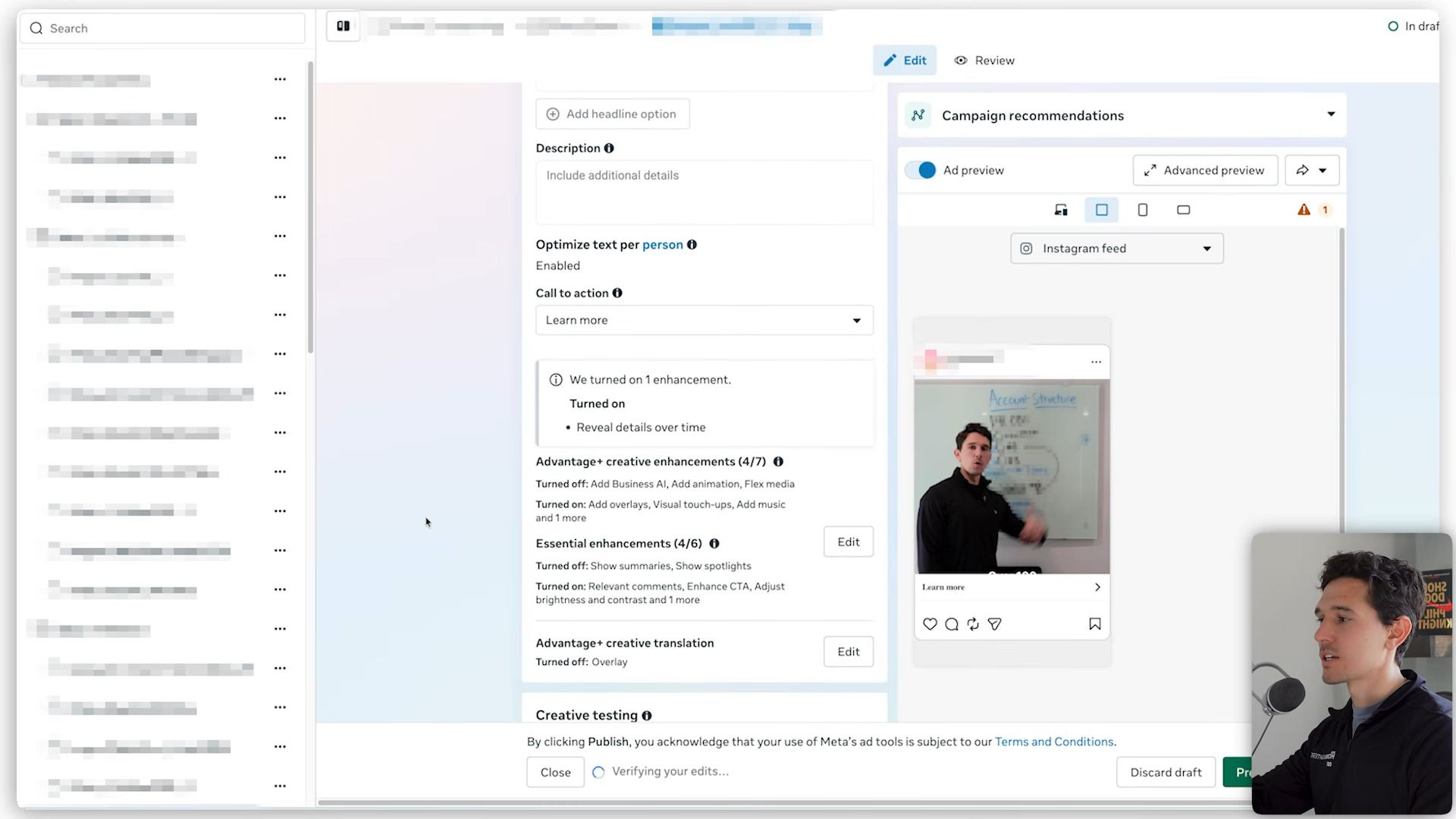
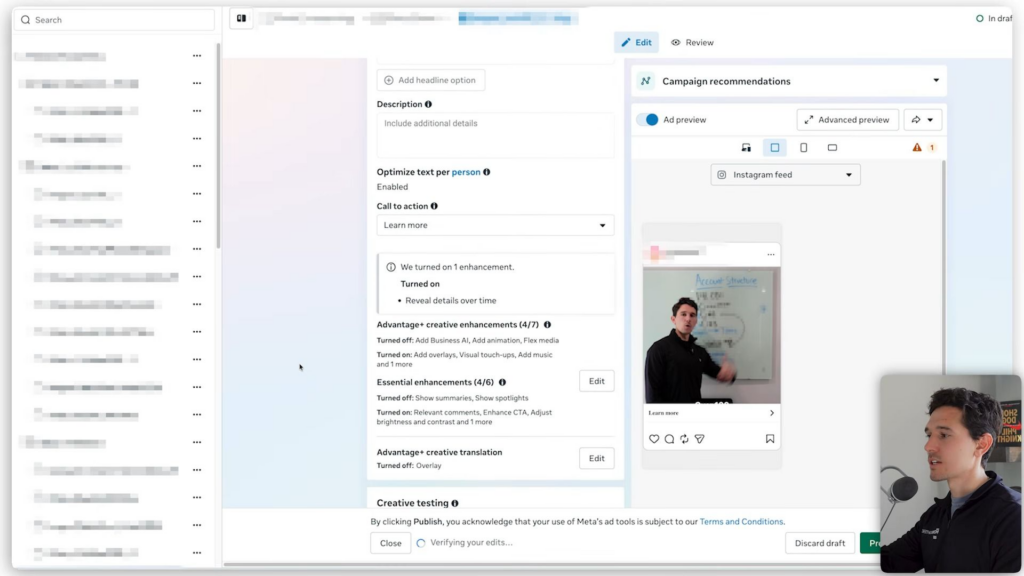
When you select single image or video as your format and finish entering your creative, scroll down to the enhancements section. Click edit on your Advantage+ creative enhancements and you’ll find flex media sitting there, turned on by default.
Flex media allows Meta to crop and adjust your ad across different formats when it’s likely to improve performance. And because you’re uploading a single image instead of multiple images at once, you eliminate the whole problem of images getting awkwardly grouped together.
The Four New Format Variations
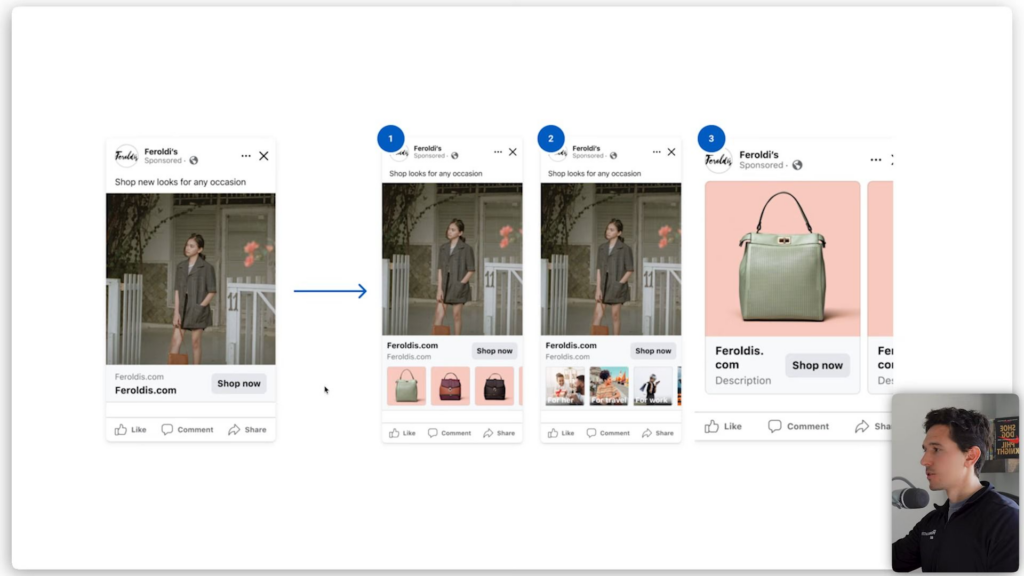
Facebook provided four examples of how this plays out in practice.
Single image or video. Your upload can now show as a standalone image, as an image with a catalog underneath, with site links added, or as part of a catalog on its own. That last one is new.
Carousel. A single image from your carousel can be pulled out and shown as a collection format.
Advantage+ catalog plus carousel. These can now be merged into a collection format or even a video-collection format.
Classic catalog. A standard carousel catalog can be spun into a single-image collection, a single-image collection with a view-more option, or just a straight single image.
One format you create. Four ways it can be served. More placements, more creative diversity, without any extra work on your end.
What This Means for Your Account
The practical takeaway here is straightforward. Stop using the flexible ad format if you’re still on it. Switch to single image or video uploads. Then make sure you understand what flex media is doing inside your enhancements section so you can make an informed choice about whether to leave it on.
The cropping and reformatting problems that plagued flexible ads were a direct result of uploading multiple assets together. Moving flex functionality to a single-asset upload solves that problem at the root level. The creative flexibility is still there. The chaos is not.
Facebook moves fast, and this change is a good reminder that understanding where the settings actually live inside your account matters just as much as knowing what those settings do.